
New Secure payments with Selfie Check on iBB Mobile
Authorise payments to new payees and add payees quickly and securely using facial verification.
Enrol now, once you do you can approve new payment contacts or make one off payments. So, now you can just enter the details of the person you're paying and then use your face to confirm. If you don't want to enrol for Selfie Check you can still use your Digipass to confirm payments.
Step 1
Log in to your AIB Business (iBB) mobile app. Tap 'Enrol'.
Step 2
You then take and upload a selfie.
Step 3
You will be asked to upload your passport.
And that's it. We will then verify your selfie against your ID. We will only hold this data for the purpose of Selfie Check. See our Selfie Check FAQ's.

Passkeys Are Here
 No passwords Stronger protection
Download the app
Make managing your business finances a simple part of life.
Available on iOS and Android. You need to be a registered iBB customer to use the app.



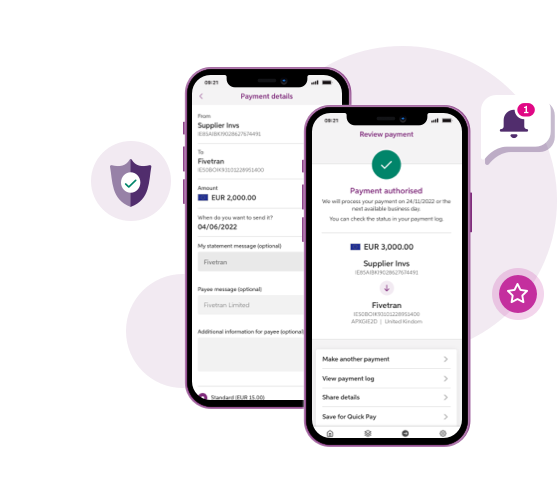
Make and authorise payments
More Mobile, Less Digipass!
Log in quickly and easily online
Use the app to log into iBB on your computer
How it works
Log in to iBB using a Digipass
Log in to iBB using a Digipass
Log in to iBB using iBB App
Log in to iBB using iBB App
Making a payment on the iBB App
Making a payment on the iBB App
Register a device for the iBB App
Register a device for the iBB App
Trouble logging into iBB on your computer
Trouble logging into iBB on your computer
Stay secure online
iBB will continue to have the same high levels of security, but sadly fraud is a fact of life and so it is important to remain vigilant for scams and internet fraud. Fraudsters may call pretending to be from AIB and ask you to create codes on your Digipass, perform test payments or to authorise test payments. We will never ask you to do this.
You should also be cautious if your computer slows down while using iBB, particularly at log in. This may be a sign of the presence of Malware.
More information on staying safe online is available in our Security Centre

